Productivity
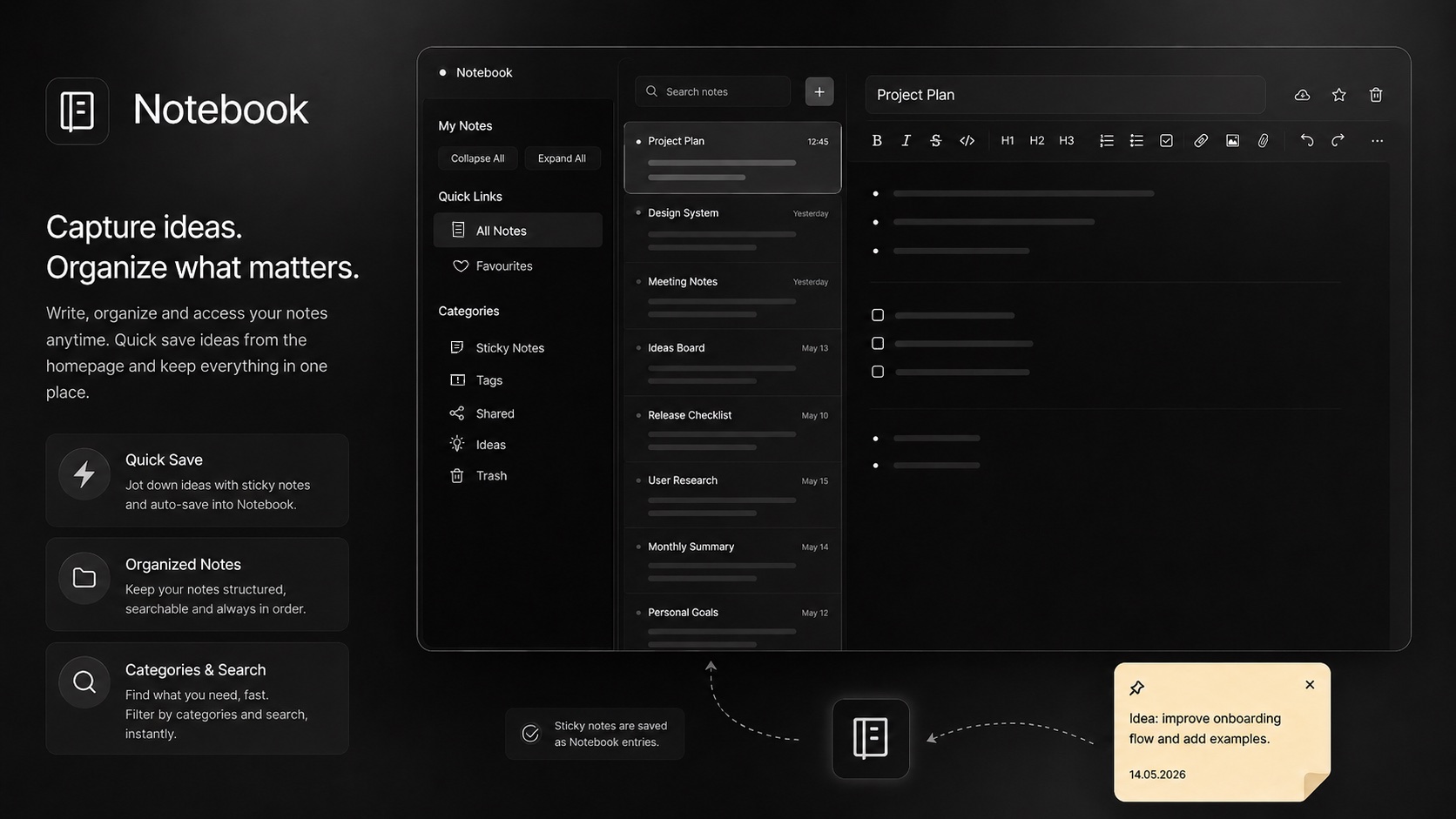
Capture ideas, write notes, and organize your thoughts. A clean, distraction-free writing environment with folder organization.
Good ideas get lost in the wrong tool. Lodos Notebook is a clean, distraction-free writing environment where teams capture knowledge, write notes, and organize information with the structure it deserves. Create notes with rich text formatting — headings, lists, inline code, and emphasis — and organize them into folders by project, client, or topic. Favorites keep the notes you return to most often one click away, and full-text search finds anything across the entire notebook instantly.
The most powerful connection is with MeMeet: when a video meeting ends, the collaborative notes taken during the call sync automatically into Notebook. Meeting minutes that would otherwise live in a chat window or a shared document that no one can find three weeks later are instead filed in the right folder with the right project context. This makes Notebook the institutional memory of your team's meetings — a growing, searchable record of decisions, discussions, and discoveries.
For teams currently using Notion as a notes and knowledge base tool, Lodos Notebook covers the core use case — note-taking, folder organization, and sharing — without the overhead of Notion's complex database and template system that most teams never fully use. Because Notebook is included in the Lodos workspace subscription, there is no separate Notion bill per seat. And because it is integrated into the same platform as your tasks, meetings, and communication, the knowledge your team captures stays connected to the work it came from.
Switching from Notion? See the full comparison: Lodos vs Notion →
Features
Everything Notebook brings to your workspace.
Start using Notebook today — it's included in every Lodos plan.
Part of the Lodos ecosystem — explore all 20+ modules